
QR Code Payment
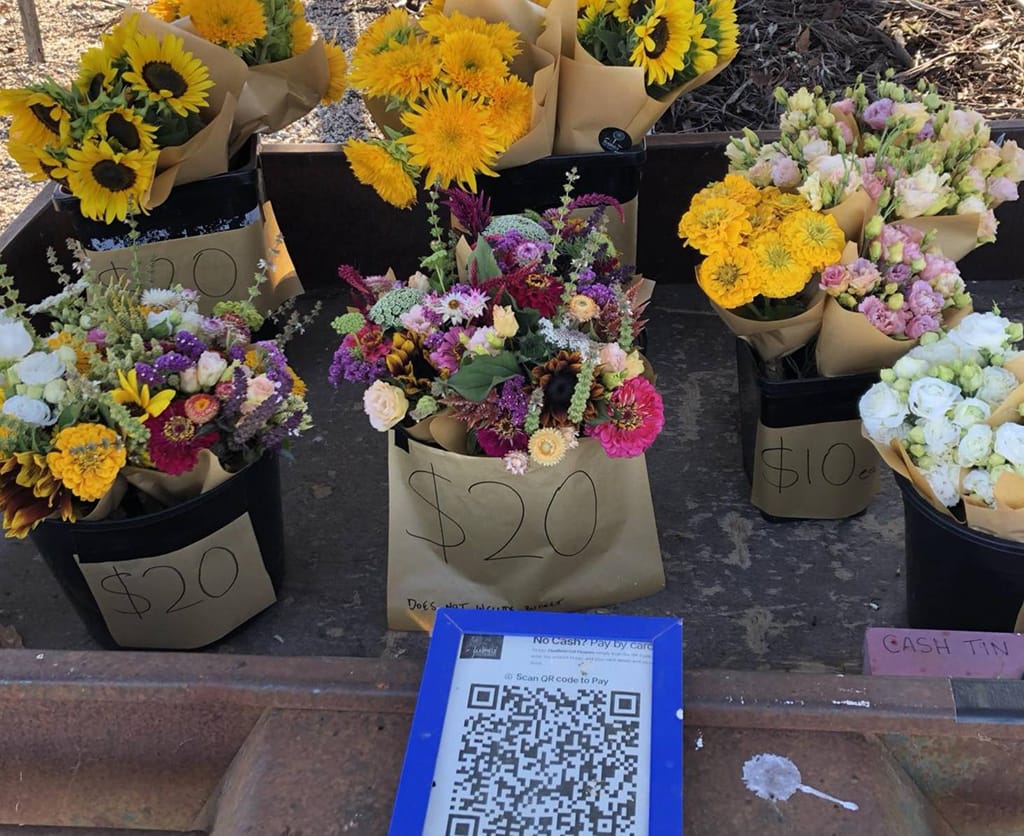
QR code payment for roadside stalls, farm gates and community groups
Accept card payments with a simple QR code. Customers scan, enter the amount, and pay from their own phone — no EFTPOS terminal, no app, and no need to stand at the stall all day.
- Works alongside cash and honesty boxes
- Customers can pay by card, Apple Pay or Google Pay
- Made for unattended stalls, fundraisers and small local sellers
What QR code payment means
A QR code payment lets someone scan a code with their phone and pay online. Instead of tapping a card on a machine, they open a payment page from the QR code and pay there.
With Pay By QR, your customer scans your code, enters the amount they need to pay, and pays by card, Apple Pay or Google Pay.
They don’t need to download an app. They don’t need to create an account. They just scan, pay, and head home with the eggs, flowers or jar of honey they stopped for.
Why QR code payment works well for small stalls and groups
No terminal to manage
You don’t need a card reader, charger, paired phone or staff member standing beside the table. Your printed QR code does the quiet work while you get on with the rest of the day.
No cash-only problem
Plenty of people don’t carry notes or coins now. A clear CARD ACCEPTED sign gives them a reason to stop instead of assuming they can’t pay.
Good for honesty-box setups
Pay By QR doesn’t have to replace cash. For many stalls, the best setup is still simple: cash in the box, card by QR.
Useful for simple records
QR payments give you a clearer record of what’s come in. That helps when you’re checking sales after a busy Saturday, sharing the job with family, or collecting money for a club or fundraiser.
Pay By QR suits egg stalls, flower stands, honey and jam tables, firewood stalls, local clubs, parish donations, sausage sizzles and school fundraisers.
How Pay By QR works
-
1
Set up your payment page
Add your stall, business or group details.
-
2
Print and display your QR code
Put it near your prices, honesty box or donation table.
-
3
Customers scan and pay
They enter the amount, pay by card, and you can see the payment come through.
Questions people usually ask
- Do customers need an app?
- No. They scan the QR code with their phone camera and pay through your payment page.
- Can I still accept cash?
- Yes. Most stalls can use both: cash in the box, card by QR.
- Do I need an EFTPOS terminal?
- No. Pay By QR works without a card reader or terminal.
- Does the stall need power or Wi-Fi?
- No. The printed QR code doesn’t need power. The customer uses their own phone connection.
- Can I use it for donations or fundraisers?
- Yes. Pay By QR suits community groups, parish donations, school fundraisers, clubs and simple event payments.
Keep reading
-
Use case
Farm gate stalls
How Pay By QR fits the unattended farm gate setup.
-
Overview
How it works
The Pay By QR flow from sign-up to first payment.
-
Pricing
Plans and fees
Hobby plan with no monthly fee, plus options for higher-volume stalls.
-
Guide
How to take payments and keep trust
Cash, QR, honesty boxes and gentle security for unattended stalls.
-
Article
“Card accepted” helps people stop
Why a small sign at the roadside can be the difference between a sale and a drive-by.